

Account, profile and settings
Profile menu
Click your name at the bottom-left of the dashboard.
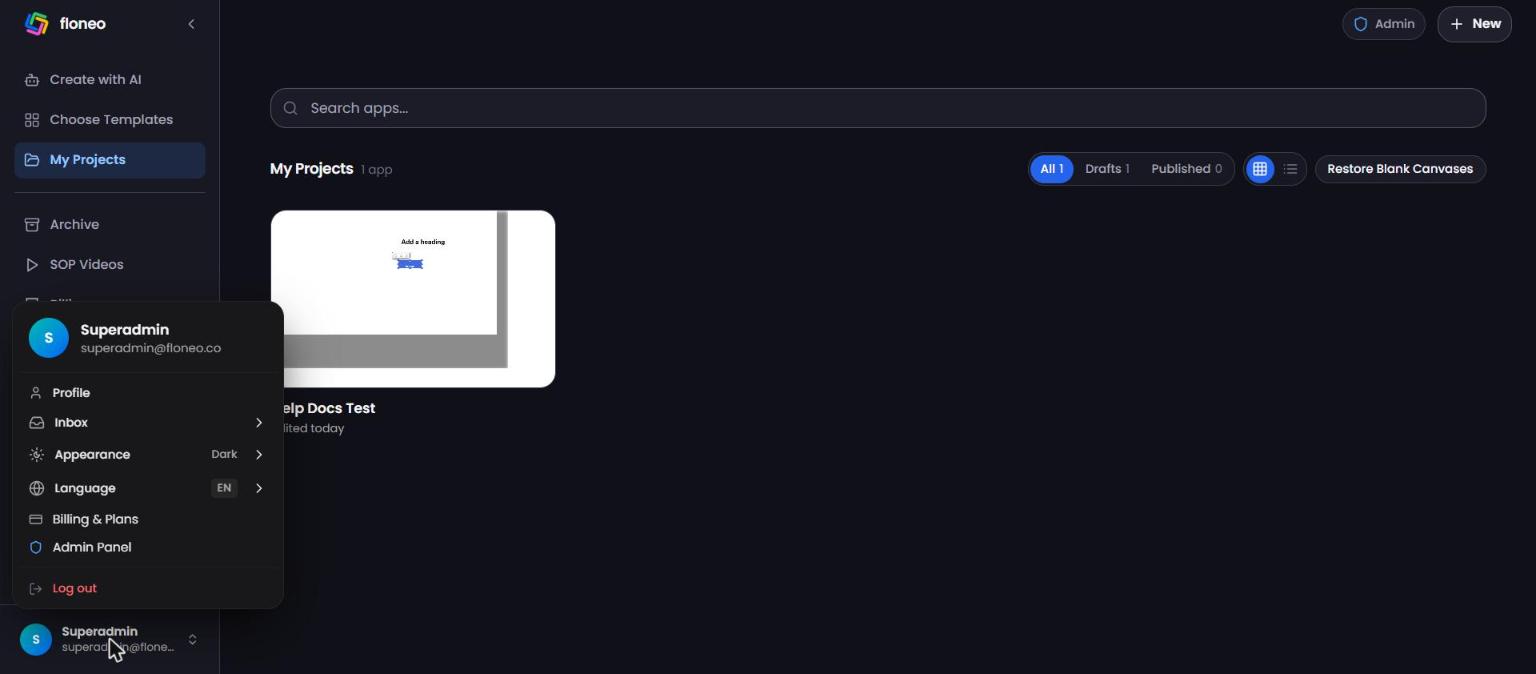
| Item | What it does |
|---|---|
| Profile | Opens Account & Profile |
| Inbox | Your notifications (also F8) |
| Appearance | Light or Dark theme |
| Language | English, Español, Deutsch, العربية, Français |
| Billing & Plans | Opens Billing |
| Log out | Signs you out |
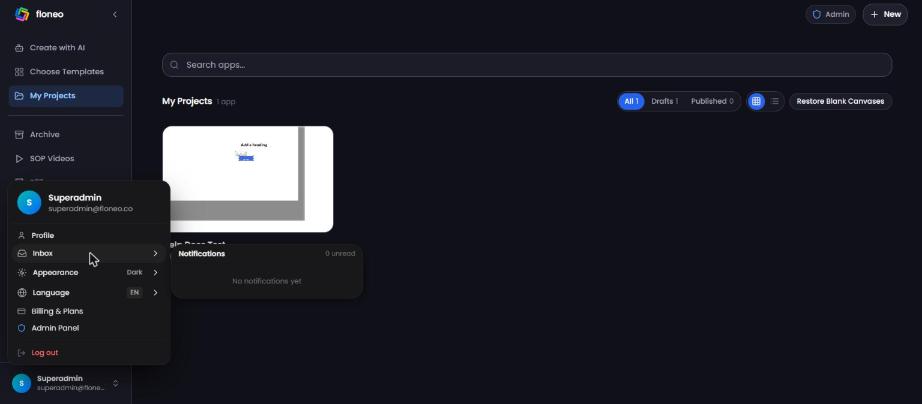
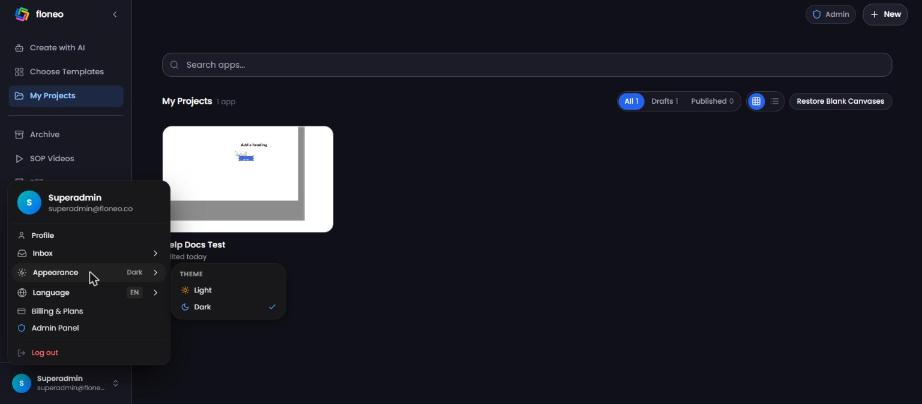
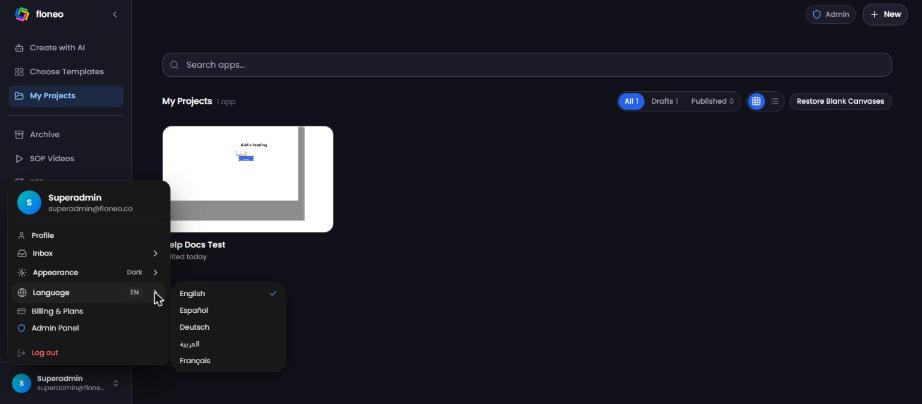
Account & Profile page
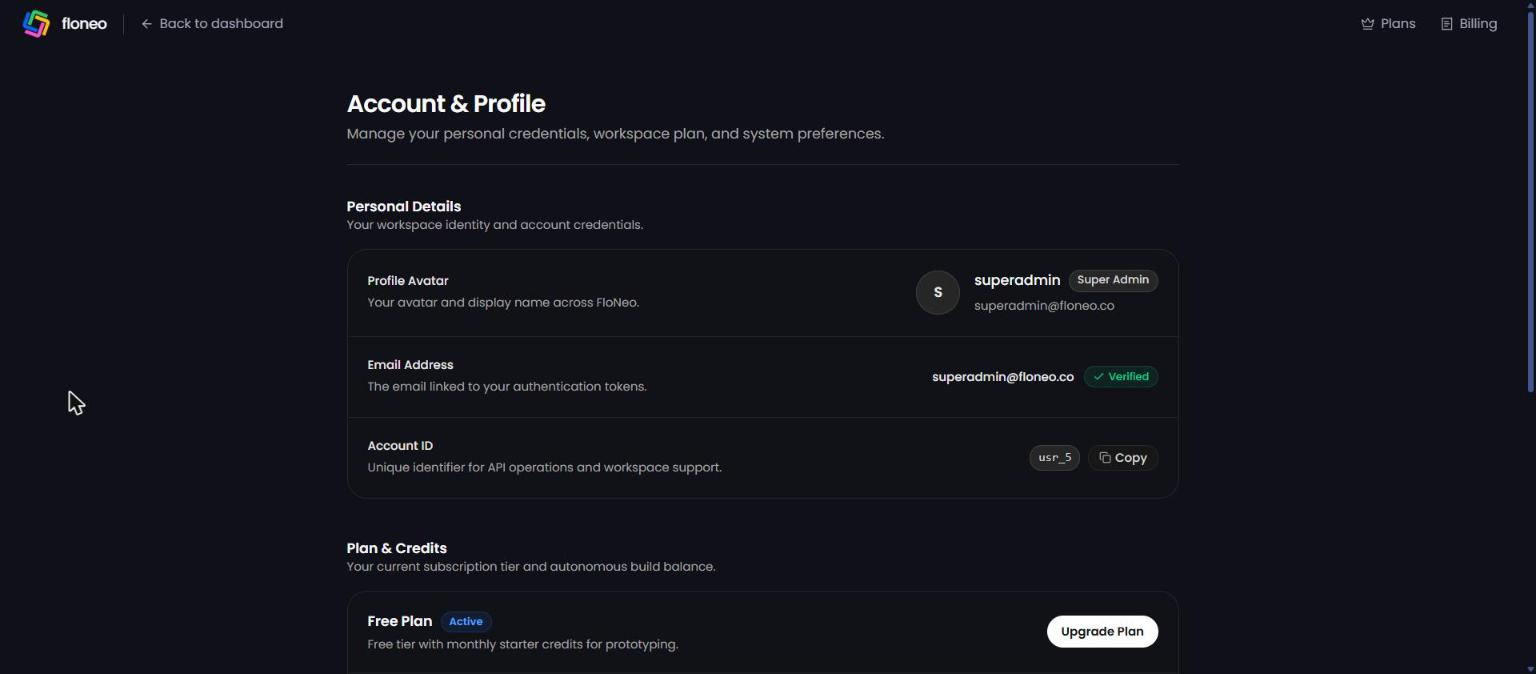
- Personal Details — avatar and display name, email address (with Verified badge) and Account ID.
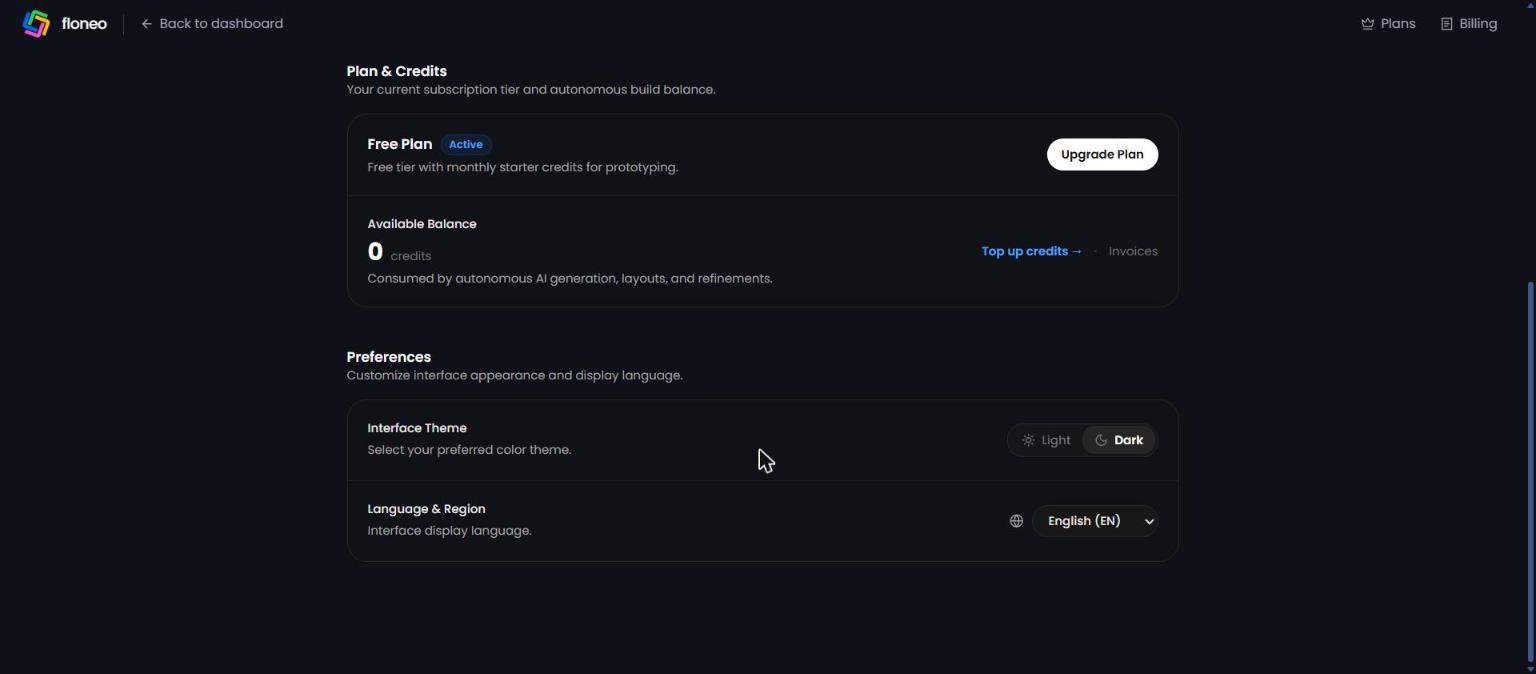
- Plan & Credits — current plan, Upgrade Plan, Available Balance, Top up credits →, Invoices.
- Preferences — Interface Theme (Light/Dark) and Language & Region.
💡 Contacting support? Click Copy next to your Account ID and paste it into your email or ticket. It helps us find your account fast.
FAQ
How do I change the language? Profile menu → Language, or Profile → Language & Region. How do I switch to light mode? Profile menu → Appearance → Light (or Theme in the editor's app menu). How do I change my email or password?
Contact support from your registered email and we'll help. How do I delete my account? Email support@floneo.co from your registered email address. I'm not getting notifications. Check Inbox (F8). Email notifications may land in spam — add floneo.co to your contacts.
Didn't find your answer? Contact support