

Ask NEO — change your app by chatting
Ask NEO is the AI assistant inside the editor. Ask it about your app, or describe a change in plain words. You approve every change before it's applied.
The button in the editor says Ask Floneo; the panel that opens is called Ask NEO. They're the same thing.
Open Ask NEO
Click Ask Floneo (bottom right of the editor), or NEO in the top toolbar when an element is selected.
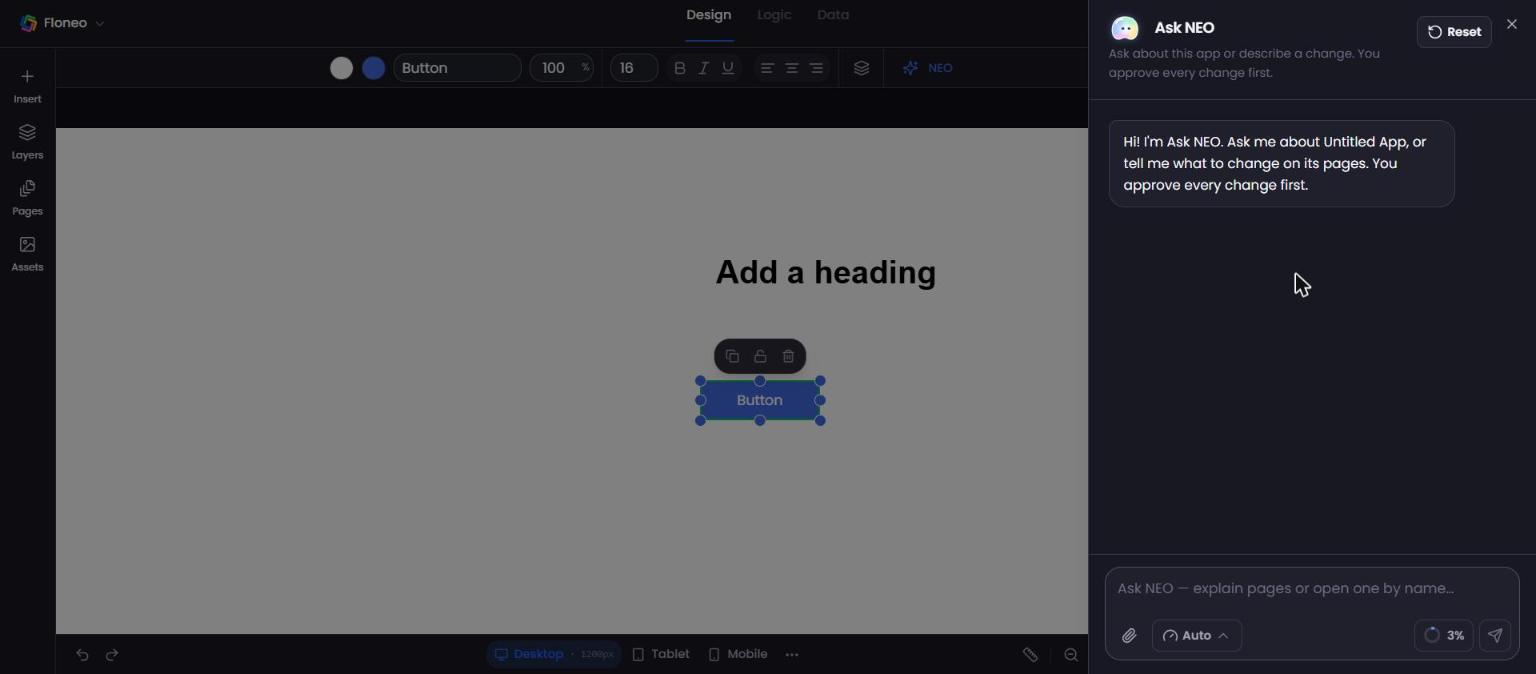
Make a change — step by step
- Type what you want, e.g. "Change the heading text to 'Welcome to FloNeo'", and press Enter or ➤.
- NEO replies with a proposal card — e.g. Update component — listing exactly what will change.
- Click Apply Changes to approve (or Cancel).
- Click Update Component (or the matching execute button) to apply it to your page.
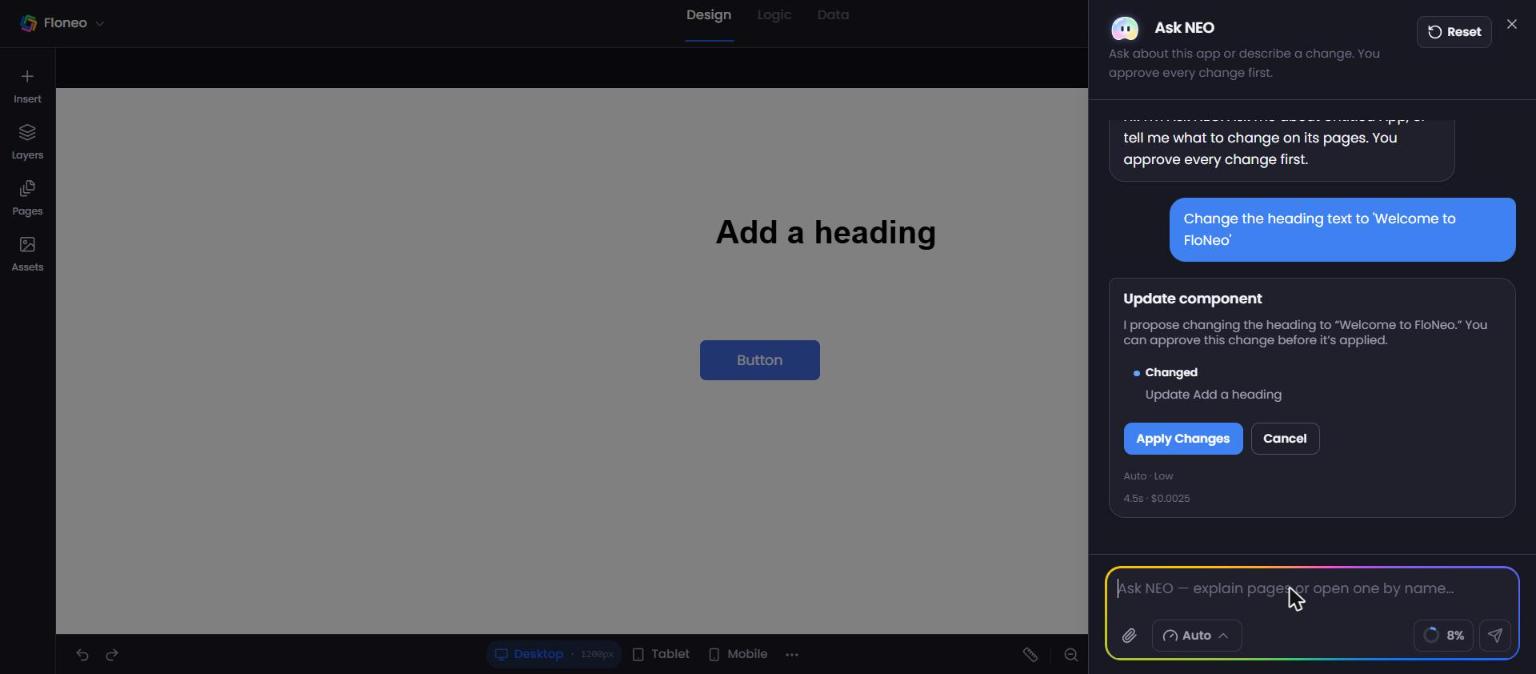
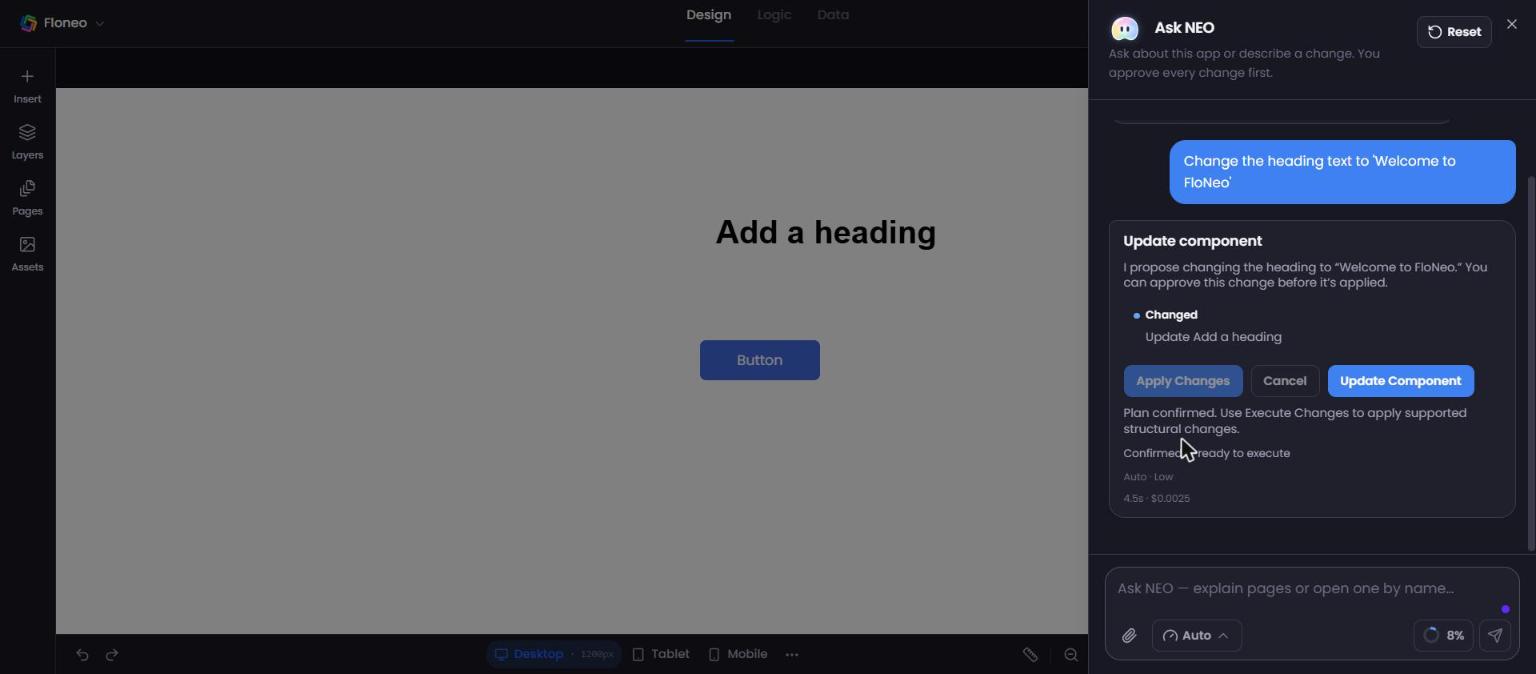
⚠️ Two clicks to apply. After Apply Changes, the plan is confirmed but your page isn't changed until you press the execute button (e.g. Update Component). If nothing changed on your page, look for that button in the chat.
Effort levels
The Auto ⌄ button sets how hard NEO works on your next message:
| Level | Best for |
|---|---|
| Auto (default) | Let NEO choose |
| Low — Fastest | Small text or colour tweaks |
| Mid — Balanced | Most changes |
| High — Most capable | Bigger layout changes, new sections |
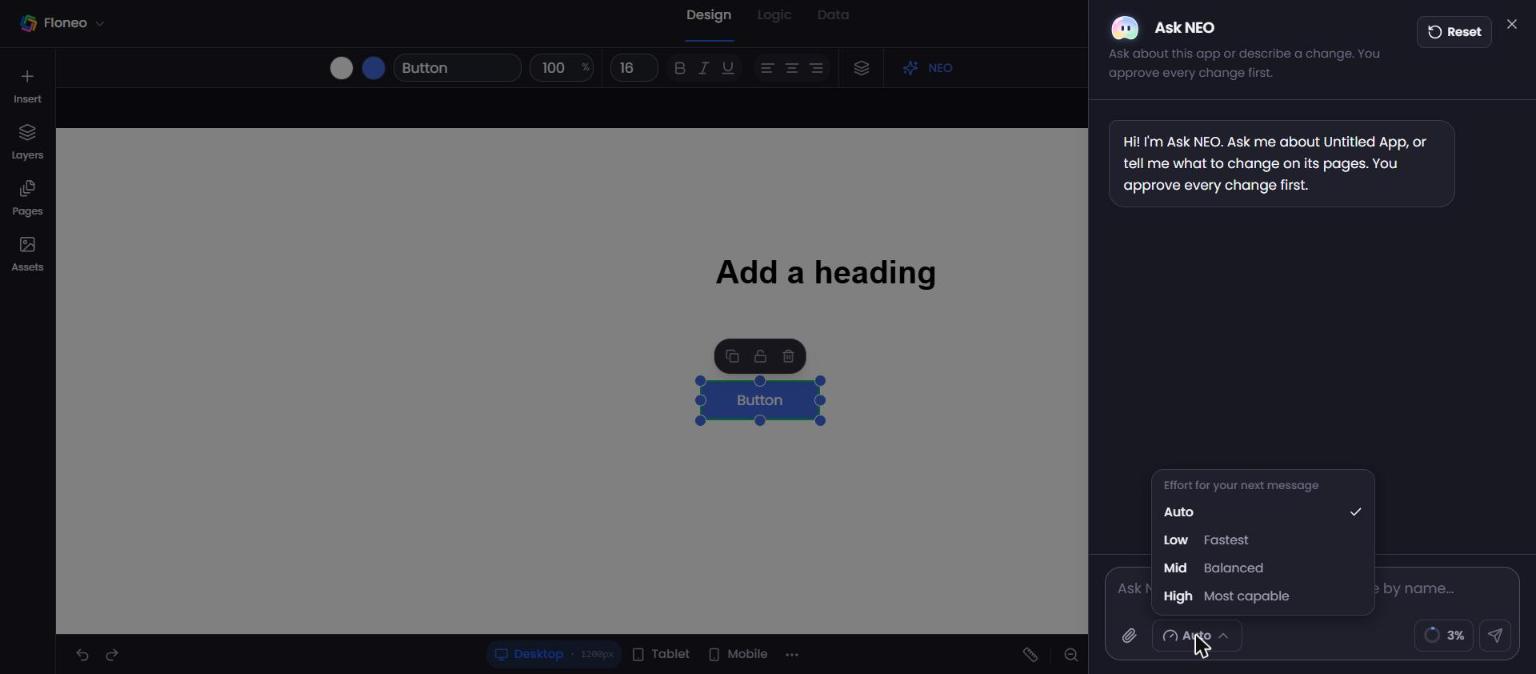
Other controls
- 📎 Attach — add a reference screenshot, photo, video or document ("make it look like this").
- % ring — how full the conversation is (e.g. Conversation 3% full). Click for usage details. When it gets high, press Reset to start a fresh conversation.
- Reset — clears the chat (your app isn't affected).
- Resize — drag the panel edge; double-click to reset its width.
Credits
A change usually uses 1–4 credits, depending on its size. You see the cost before NEO makes the change. Ordinary visual edits you make yourself (text, colour, spacing, size, position) don't use credits.
Good things to ask
- "Add a testimonials section with three customer quotes below the menu."
- "Make the hero background dark brown and the button cream."
- "Translate all text on this page to Malayalam."
- "What pages does this app have?" / "Open the contact page."
- "Make the layout work better on mobile."
Troubleshooting
| Problem | What to do |
|---|---|
| I approved but nothing changed | Press the execute button (e.g. Update Component) under the proposal. |
| NEO changed the wrong element | Ctrl/⌘ + Z to undo, then select the element first and ask again. |
| Replies are slow | Use Low effort for small changes; Reset a long conversation. |
| "Not enough credits" | Top up or wait for monthly credits → Plans & credits |
Didn't find your answer? Contact support